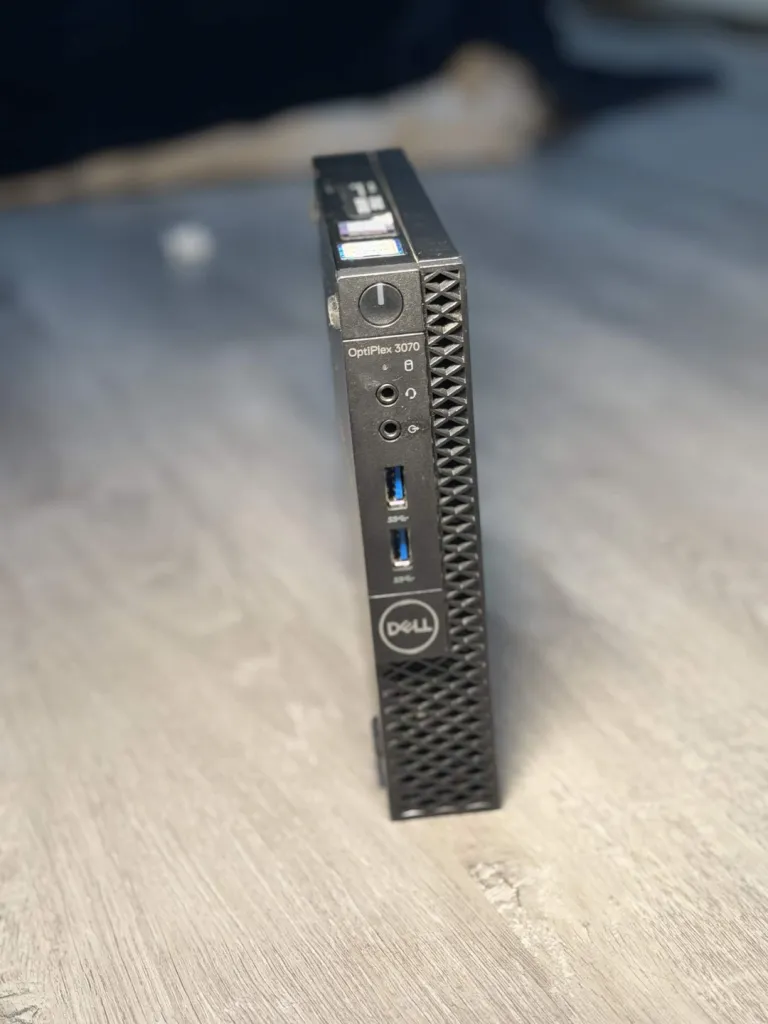
What to look for in a used Dell OptiPlex
OptiPlex is Dell's line of business desktops. Two machines with the same model number can be configured very differently, so read past the name.
1. Processor generation
The generation matters as much as "i5" or "i7". In a processor name such as i5-9500T, the 9 means 9th generation, and the T marks a lower-power version used in small cases. Pick 8th generation or newer if you want Windows 11.
2. Memory
8 GB works for light office use. 16 GB gives more room. Check how many memory slots the model has and its maximum, in case you want to upgrade.
3. Storage
Choose a solid state drive (SSD). It makes a bigger difference to how fast a computer feels than a slightly faster processor. 256 GB is enough for most office work if files live online or on a server.
4. Case size
- Micro: very small, can sit behind a monitor. Little room for expansion and no full-size cards.
- Small Form Factor: a slim desktop with some low-profile expansion.
- Tower: the largest, with the most room for drives and cards.
5. Ports and wireless
Match the video outputs to your monitor: many models offer DisplayPort and HDMI, but not all configurations have both. Wi-Fi is often optional on business desktops, so check the listing or plan to use a network cable.
6. What comes with it
Micro models use an external power adapter. Make sure it is included. Our computers come with the power cable or adapter; you add the monitor, keyboard and mouse.
7. Condition and terms
Ask what was tested, look at photos where there are any, and read the return policy. We sell as is, with no returns or warranty, after testing that each computer works.
Comparing specific models? Read OptiPlex 3070 vs 7070 vs 3080.
These models in our shop
-
Dell OptiPlex 3070 Micro
9th gen i5, 8GB RAM, 256GB SSD
$150 In stock